
Guides / Chart a tennis match
How-to
Chart a tennis match
Charting means recording how each point ended, not only who won it. Afterwards the player and their coach can see where points were won, where they were given away, and what to work on next.
You don’t need to be a coach. If you can follow the score, you can chart.
Watch how to chart in the app.
-
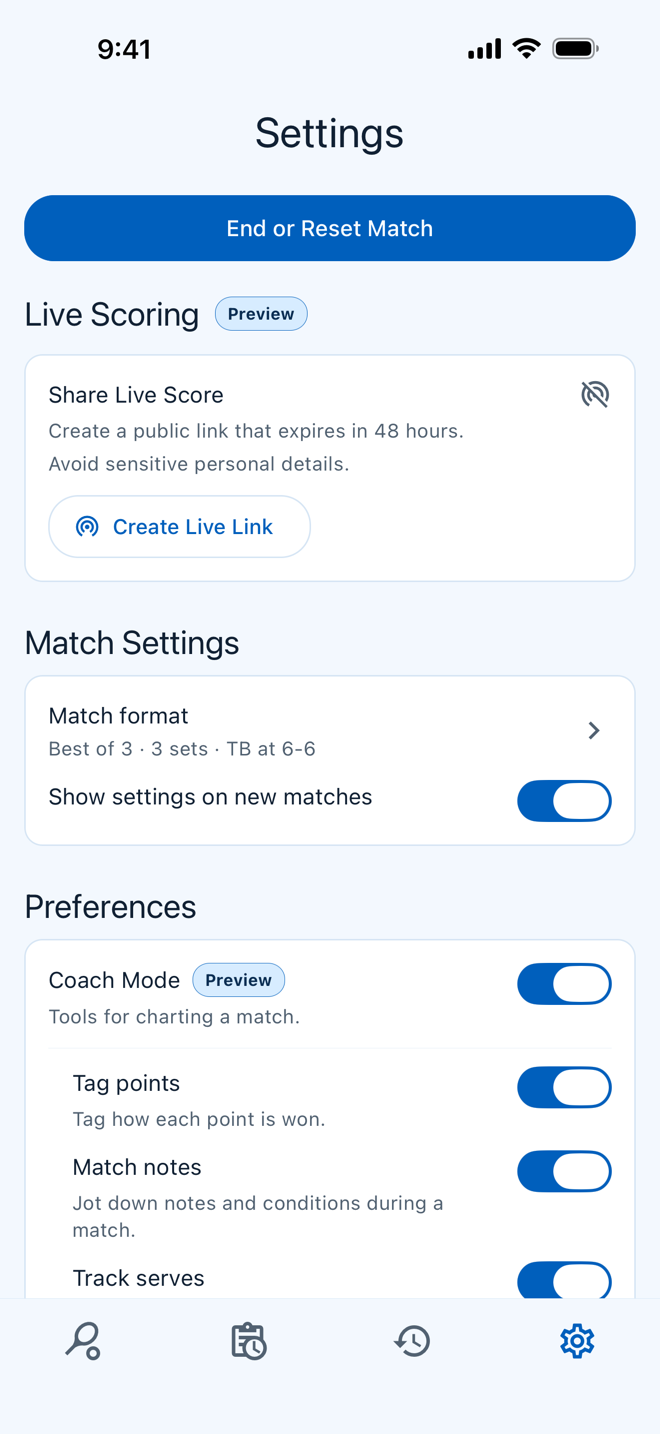
Turn on Coach Mode
Tap the round button with three dots at the bottom of the scoreboard, then the gear, and switch on Coach Mode.
It adds point tagging and match notes.
-
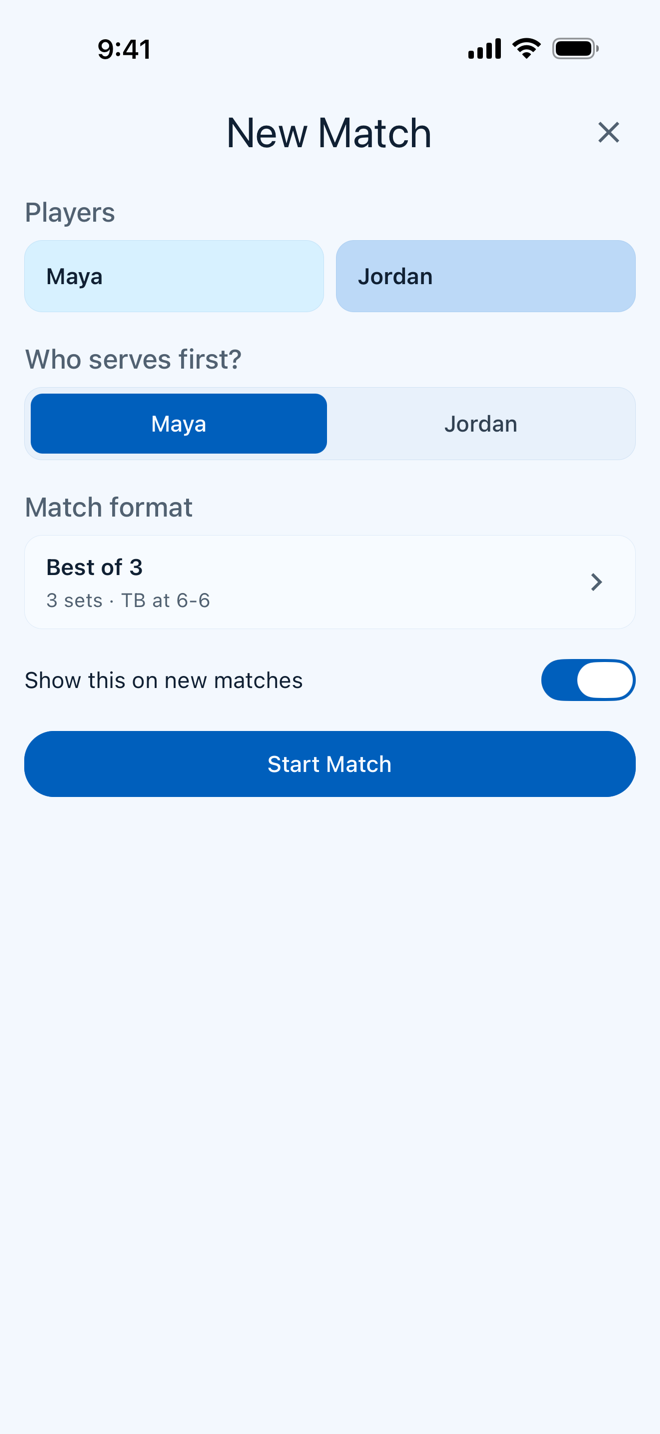
Start the match
Enter the two players, choose who serves first, and tap Start Match.
Setting the server is worth the extra tap: it’s what makes the serve and return stats possible.
-
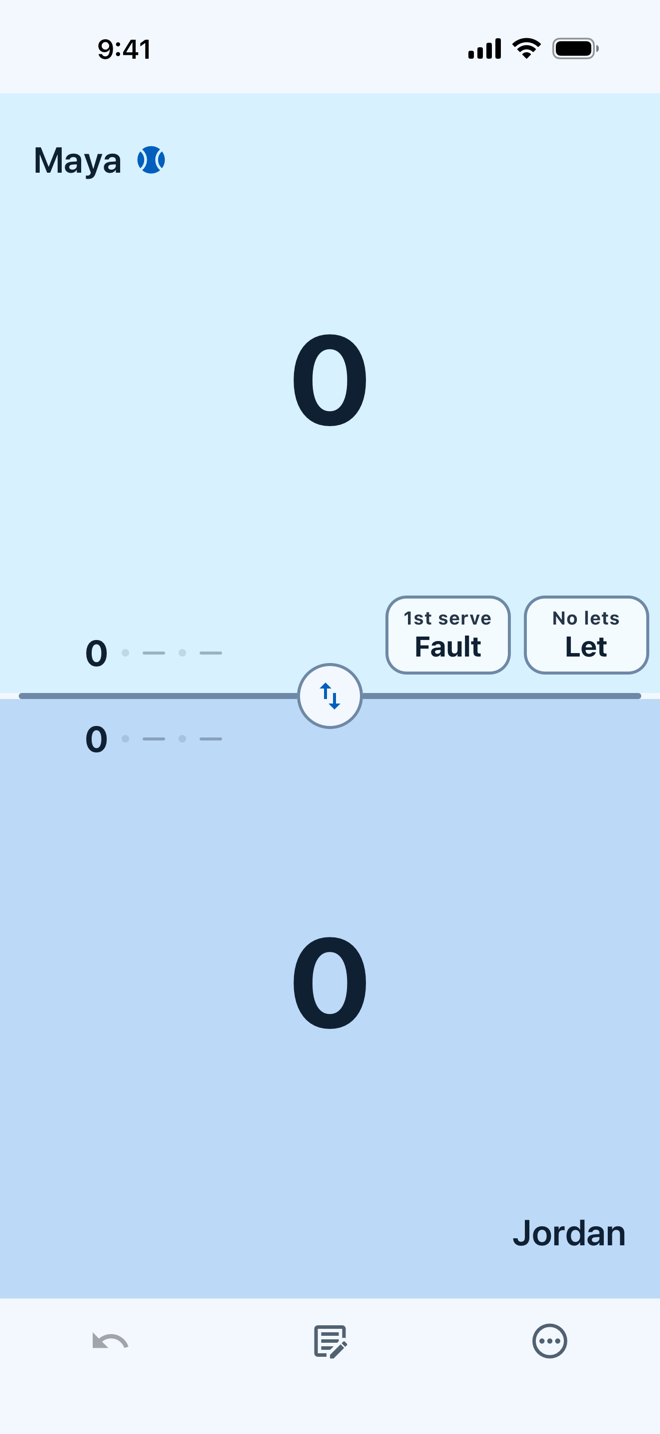
Tap the player who won the point
Each player has half of the screen. When a point ends, tap the winner’s half.
The score moves on, and a sheet opens to ask how the point ended.
-
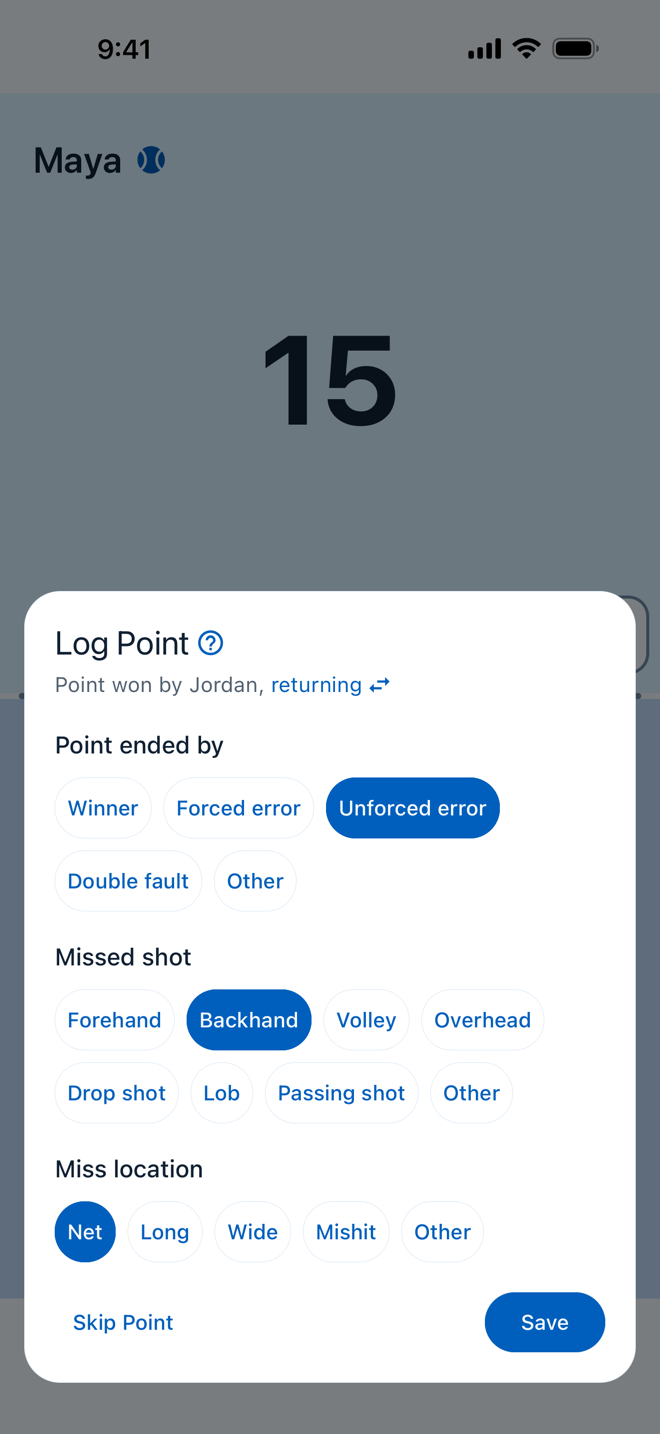
Tag how it ended
Answer up to three questions, then tap Save.
- How did it end? A winner, an error, an ace, or a double fault.
- Which shot? Forehand, backhand, volley, and so on.
- Where did it miss? Net, long, or wide. Only for errors.
Not sure whether an error was forced? How tennis points end explains each choice.
-
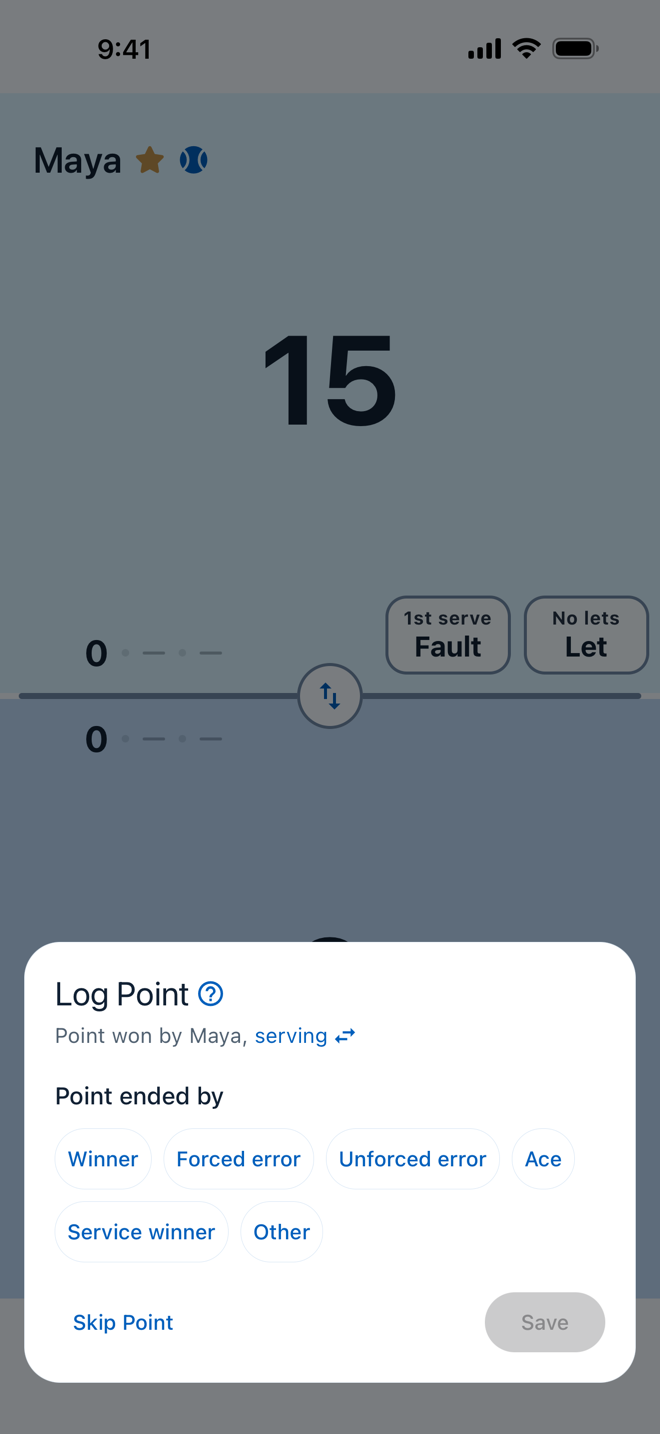
Skip what you didn’t see
Looked away, or not sure? Tap Skip Point. The score still counts.
A skipped point is better than a guess. A few gaps won’t hide a pattern; wrong tags can invent one.
-
Add a note at a changeover
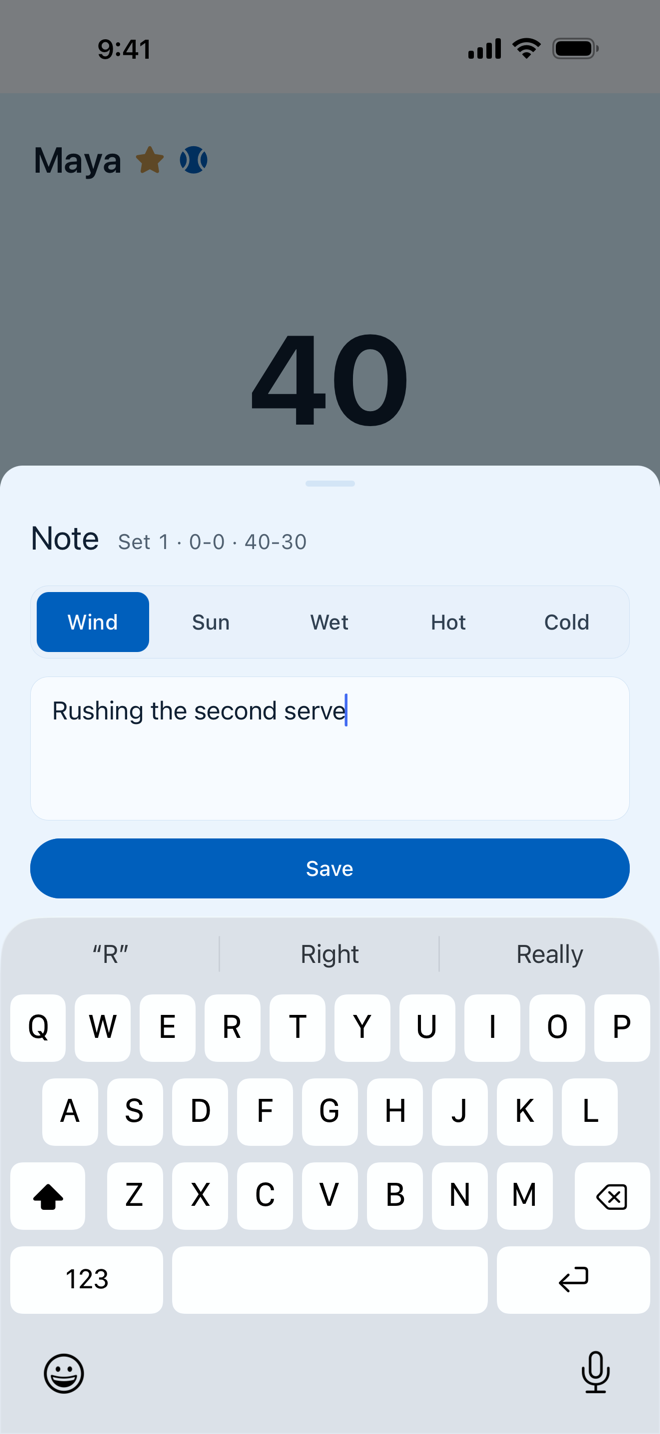
Tap the note button in the bottom bar and write what taps can’t capture: nerves, tactics, how the opponent plays. Tap a condition such as Wind if it matters.
One line is enough.
-
Check the Match Log
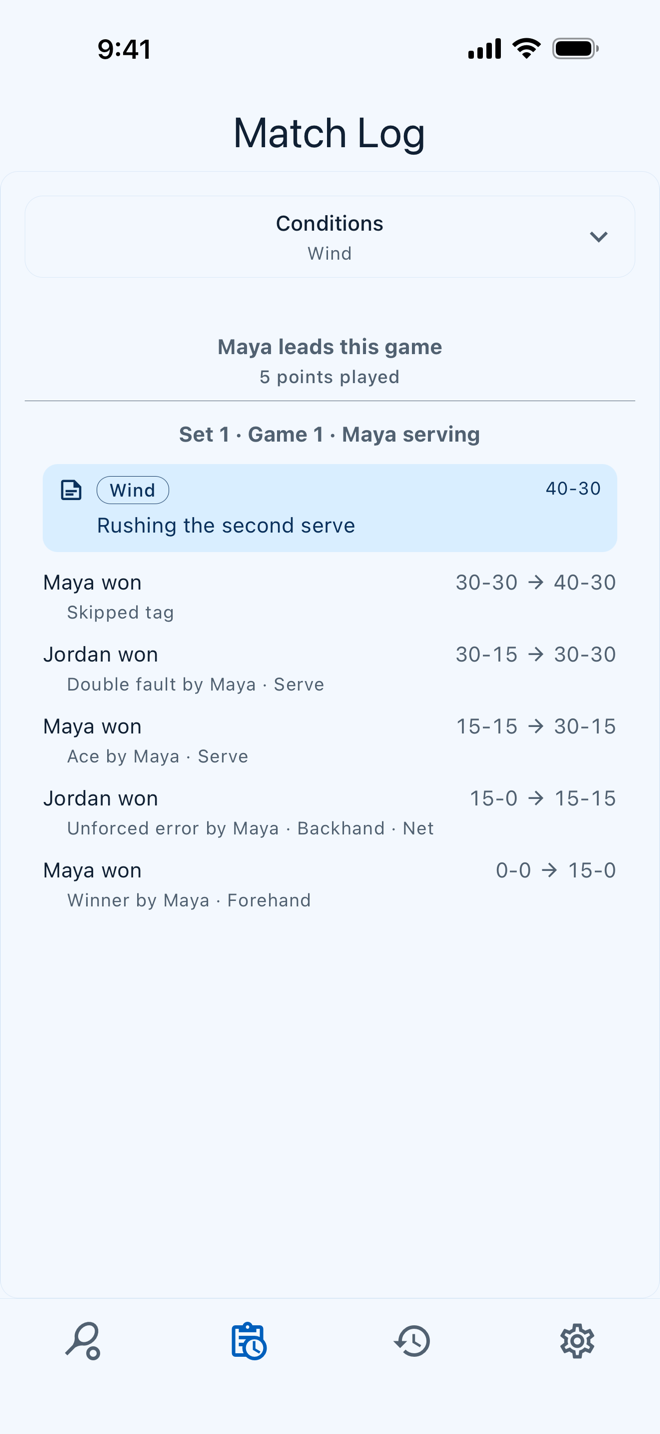
The Match Log lists every point in order, with who served and how it ended. To open it, tap the round button with three dots, then the clipboard.
If the score has gone wrong, press and hold a player’s score to correct it.
-
Review the stats afterwards
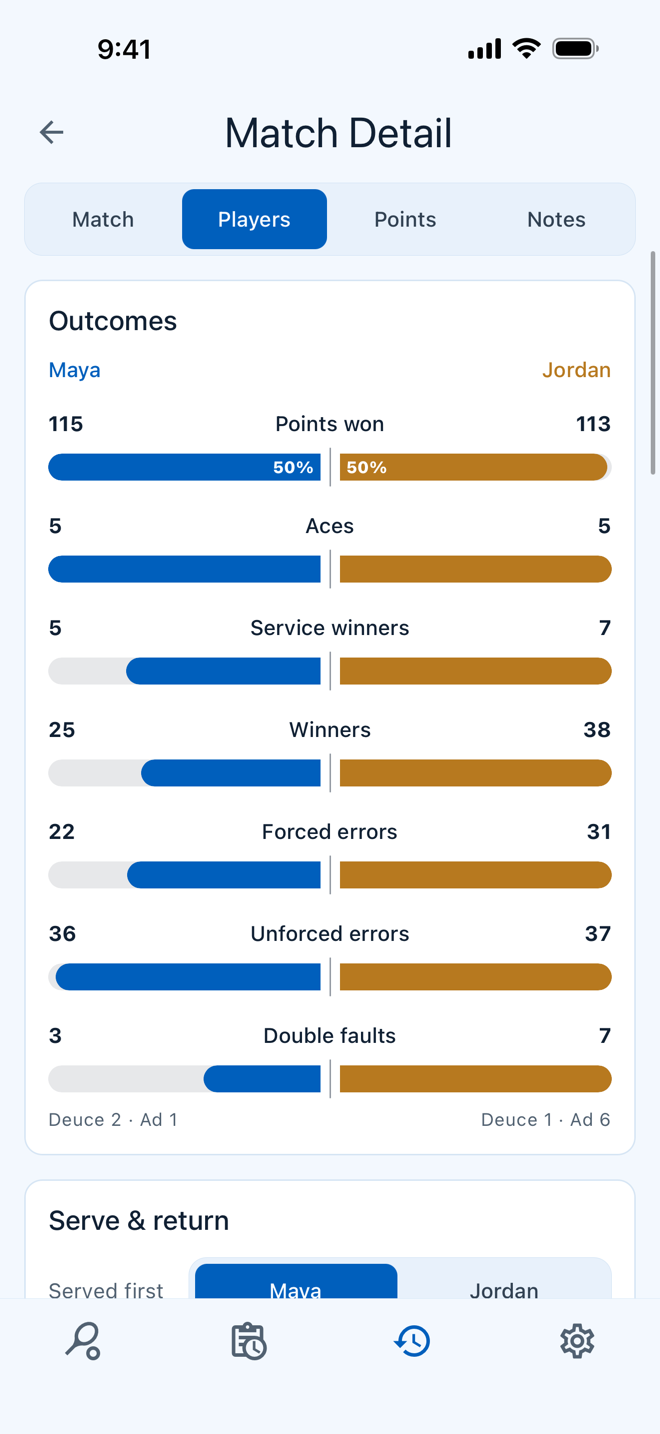
When the match ends, tap View Match and choose the Players tab. The match is also kept in History. Start with three things.
- Unforced errors by shot. One shot usually accounts for more than the rest.
- Double faults. How many, and on which side.
- Break points. How many each player had, and how many they won.
Tips for your first match
- Watch first, then tap. The sheet waits for you, and there is time between points.
- Chart both players the same way. Pick a line between forced and unforced, and keep to it for both.
- Keep the screen on. Switch on Keep Screen Awake in Settings so the phone doesn’t lock between points.
One charted match is a snapshot. Chart a few and the same things start to repeat, and those are the ones worth practicing.
Try it at your next match.
RallyTap is fast and easy, with no login and no ads.

